
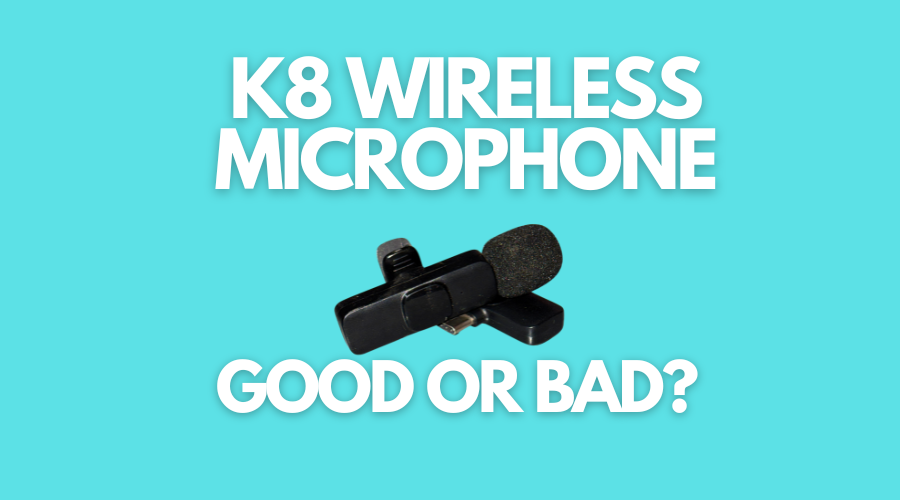
After recording several videos and voiceovers, we do not doubt that the K8 wireless microphone is excellent. Some may say it’s a beast in that price range. So, indeed, it’s a good wireless microphone.
K8 microphone is an affordable, mid-range wireless mic developed by ICON, which is based in China. The manufacturing quality of this wireless microphone amazed us – so did the audio recording.
The issues with most low-to-mid-range wireless microphones are that when the subject gets a few yards away from the phone, the audio is cut off or distortion is noticed in the recording.
Surprisingly, our several tests showed that the K8 wireless microphone performed really well during our distance test, and the audio quality was sharp. A lot of low-budget collar microphones give distortion at some distance, but this one is quite good.
This collar mic has been quite handy for vlogging purposes as well. So, if you’re into vlogging with your phone, you can get yourself this K8 wireless microphone to crank it up a notch.
Moreover, feel free to record voiceovers, interviews, and other YouTube videos – it’s an excellent microphone as long as you’re a single host of the show.
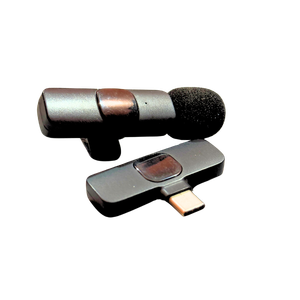
The K8 wireless microphone comes with a transmitter (collar mic), receiver, extension switches for iPhone and USB Type-C ports, and a data Type-C cable.
K8 Wireless Microphone
- Plug-and-play, no adapters required
- Crystal-clear sound with noise reduction
- Works with both Android and iPhones
- Up to 5 hours of runtime
- Compact and portable microphone design
As an Amazon Associate I earn from qualifying purchases.
Also check this: Does the K8 Wireless Microphone Work With iPhone?
What is the Range of the K8 Mic?
Well, the box says that it has 20 meters of accessible reception. We managed to test the K8 wireless microphone at approx. 14 to 16 meters distance, and its performance was flawless at that point. However, we didn’t have the opportunity to go any further.
How to Connect the K8 Wireless Microphone
It’s a plug-and-play wireless microphone. Here’s how you can connect the K8 wireless microphone to your phone:
Step #1: Add the iPhone or USB micro switch (Optional)
The K8 wireless microphone comes with two extra switches for iPhone and Android devices. This microphone has a USB-C port, so phones with a USB-C port don’t need to add the switch.
If your phone has a Type-C port, you can directly go to step two.
Step #2: Connect the receiver to the phone
Connect your receiver to your phone. All you need is to simply plug the receiver into the phone.
Use the appropriate switch if you’re using a non-Type-C Android phone or an iPhone.
Step #3: Press the power button
Once the receiver is connected to the phone, turn on the microphone. The power button is on the transmitter. Give it a few seconds to connect with your phone.
Step #4: Wait for the green light
The red light on the transmitter (collar mic) means the receiver isn’t properly connected to the transmitter.
Once both these devices are properly connected, the light on the transmitter will turn green.
That’s it. You have now successfully connected the K8 wireless microphone.
K8 Wireless Collar Microphone
- Affordable pricing
- Easy to use for beginners
- Best for interviews & vlogging
- Good-quality noise cancellation
As an Amazon Associate I earn from qualifying purchases.
Verdict: Should You Buy the K8 Wireless Microphone?
Why not! If you’re looking to get an affordable, plug-and-play, and easy-to-use wireless collar microphone, then the K8 wireless microphone is a perfect choice.
We’re having so much fun using this wireless microphone.
However, if you need a microphone for a professional purpose or for the highest-quality audio, then we’d recommend looking into rather expensive options.
The K8 wireless microphone is just fine for beginners and creators on a budget.