
If you’re searching about whether or not you can connect BOYA BY M1 to a laptop, then we can understand your struggle. We got the answer, and we’ll tell right away:
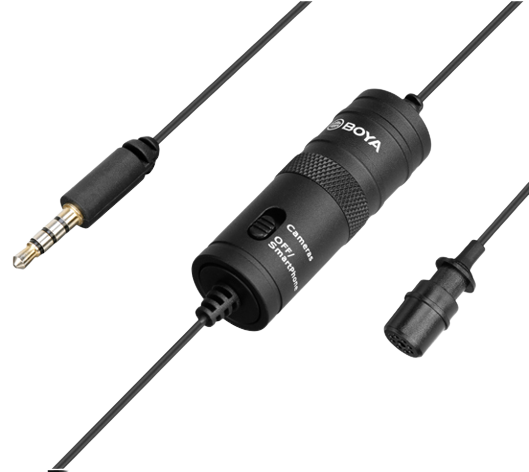
You can’t directly connect the BOYA BY M1 collar mic to a laptop because it has a 3.5mm connector that doesn’t attach to a laptop or PC.
However, if you have an older model (laptop or PC) that has separate audio and mic inputs, then BOYA BY M1 could work, but obviously no guarantee of that.
A lot of video creators, social media experts, and YouTubers need to record a screen or use services like Zoom or Loom, and they need a microphone that connects to a laptop. Therefore, they often do their due diligence on microphone compatibility with laptops.
Since BOYA BY M1 is a collar mic that works with Android phones only, it’ll be quite challenging to connect with a PC or laptop, despite what the box says. The BOYA BY M1 packaging says that it’s a clip-on mic for smartphones, camcorders, DSLRs, audio recorders, and PC, but we learned that it’s not 100% accurate.
However, if you’re looking to connect a microphone to your laptop, we’d highly recommend checking out wireless collar microphones. However, the Boya By M1 collar mic does work with cameras.
How to Connect a BOYA BY M1 Collar Mic to a Laptop
There is no guarantee that this solution will work, but we’re going to share it anyway. If we ever have to experiment with connecting the BOYA BY M1 collar mic to a laptop, we might opt for a Headphone Mic Audio Splitter Jack USB Cable.
It connects with a laptop through a USB port, and the collar mic 3.5mm jack goes into the mic section of this audio splitter jack.
As we said earlier, there are no guarantees that this will work, but we’ll experiment with it someday just to find out how it goes.
Feel free to share how you connect a (non-USB) wired microphone with your laptop or PC.