
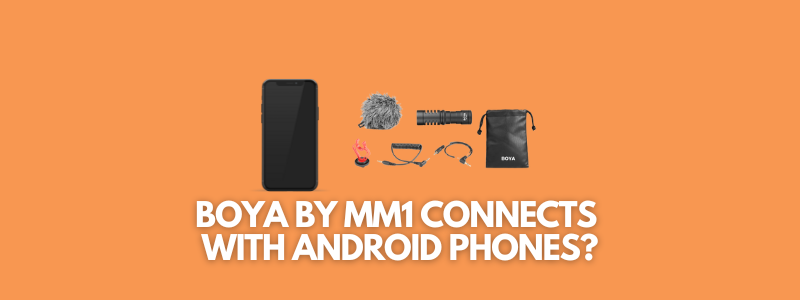
Have you ever wondered about connecting BOYA BY MM1 with your Android phones? If you’re curious about the compatibility of the BOYA BY MM1 microphone with Android phones, then this blog post is for you.
So, does BOYA BY MM1 work with Android phones? The answer is yes. It does connect with Android phones. The BOYA BY MM1 directional microphone that vloggers and YouTubers use for making videos. It’s one of the most affordable yet good-quality microphones for creators and filmmakers.
However, there is a caveat when it comes to buying and using the BOYA BY MM1 microphone. In our experience, the BOYA BY MM1 microphone only works with Android phones. We were unable to connect this microphone to iPhone devices.
So if you have an iPhone and you’re buying these microphones for shooting videos or making YouTube vlogs, then double-check with creators or YouTubers before you buy this mic for iPhone.
Anyway, we have been using this microphone for a while with my DSLR cameras, such as Nikon D5300 and Canon 200Dii. And the results were quite impressive.
Benefits of BOYA BY MM1
Here are three benefits of this microphone:
It doesn’t require batteries
Unlike many other directional microphones, you don’t need batteries for the BOYA BY MM1 microphone. Just connect the 3.5mm connector cable to your camera, and you’re all set. The microphone would consume the power from the camera/phone.
It connects with both phones and DSLR cameras
There were microphones that were only designed for DSLR cameras or phone devices. However, the BOYA BY MM1 connects with both cameras and phones, which is a huge plus. In fact, there is a separate cable that comes with a mic for connecting to a phone.
It cancels the noise in the surroundings
One of the core benefits of the BOYA BY MM1 microphone is that it’s good at noise cancellation. It would come in handy when you’re vlogging in public or you’re shooting videos on the go. The outdoor videos are often noisy, so a mic that cancels the noise is a lifesaver.
FAQs about BOYA BY MM1
You may have more questions about the BOYA BY MM1 microphone, so let us answer some of those questions:
Is BOYA a good microphone brand?
I have been using BOYA microphones for over five years. I’ve used four BOYA microphones so far, and three of them turned out to be very good. So I do believe that BOYA is a good microphone brand. There are more microphones developed by BOYA, which we’ll review in the future.
Is the BOYA MM1 good for singing?
There are some podcasting or voice-over microphones available that were developed by BOYA. However, the BOYA BY MM1 mic is a directional microphone made for DSLRs or phone devices. We’ve already shared that it doesn’t work with iPhone, at least it didn’t work on iPhone 6. Anyway, this microphone isn’t made for singing or recording songs.
Is the BOYA MM1 good for vlogging?
BOYA BY MM1 is a good-quality, mid-range microphone for vloggers. You can use the BOYA BY MM1 mic with your phone or DSLR camera for vlogging. The BOYA BY MM1 box contains two separate cables for connecting the mic with a phone and a DSLR camera.
Which is the best BOYA microphone?
BOYA makes so many different microphones. There are collar microphones, directional microphones, wireless microphones, and USB condenser microphones. It’s difficult to pinpoint the best one because all of them are good microphones in their specific categories.
Does BOYA BY MM1 require batteries?
One of the best things about the Boya BY MM1 microphone is that it doesn’t require batteries or charging. It takes the power from the camera or phone – so no batteries or charging hassle. It comes in handy when you’re shooting an event or you’re vlogging away from home/office. You don’t have to worry about changing the mic batteries.
How to Attach the BOYA BY MM1 Mic with an Android Phone
If you’re curious about the attachment of the BOYA BY MM1 microphone to an Android phone, then this section is for you.
The BOYA BY MM1 mic doesn’t come with a phone stand or rig to attach the microphone, while the connector is plugged into the phone. Therefore, you may have to rely on third-party solutions to make this record.
Let’s dig deeper into the process of attaching the BOYA BY MM1 to an Android phone:
Step #1: Switch the mic to the smartphone mode
The first step you need to take is to switch the mic to the smartphone mode. The turn-off option is the smartphone mode – all you need is to turn off the mic from camera mode; it’ll switch to smartphone mode automatically.
Step #2: Attach the smartphone cable to the phone and the mic
One of the perks of buying a BOYA BY MM1 microphone is that it comes with separate cables for phone and DSLR camera. Once you have switched the mic to the smartphone mode, attach the smartphone cable to the phone and the mic.
Step #3: Use a smartphone rig or a tripod with a phone holder
One of the essential steps of attaching the BOYA BY MM1 with an Android phone is to find a smartphone rig that holds the phone and the mic simultaneously. You could have a smartphone rig or a tripod with a phone holder.